


Clibu makes it easy to record Web site content and quickly take notes which you can access from anywhere at anytime.
We spend hours working on projects, using Google to help us with critical research. But instead of saving what we've found, we waste considerable time and effort repeating the same research over and over again.
This is precisely why Clibu is such a valuable tool. Do the work once, save it in Clibu and retrieve it again in a snap.
You can literally save hours of frustration by keeping all that important information in Clibu. ... Research, Ideas, Auctions Products, Recipes, Pictures, Code, Quotes, History, News, Design, Passages, Statistics, Stories...
Whatever is important to you, wherever it is, safely captured with a couple of clicks.
And finding it again couldn't be easier.
Create, collect and edit information quicker and easier than ever before.
Organize content with Hierarchical Tags and use Full Text Search and Tags Filtering to find it every time.
Share your content and collaborate with others, with everyone seeing updates as they occur.
Access your content from any PC, Tablet, Smartphone using any Operating System anywhere in the World.
Clibu's next generation software requires no installation and is always up to date.
Your information is safe and secure on our Cloud Servers or on your own local PC or Server.
Export your data at any time. Clibu uses MongoDB, a robust Open Source NoSQL Database.
Clibu uses the latest Web technologies, laying a solid foundation for what we're building today and tomorrow.
And in the future you will be able to:
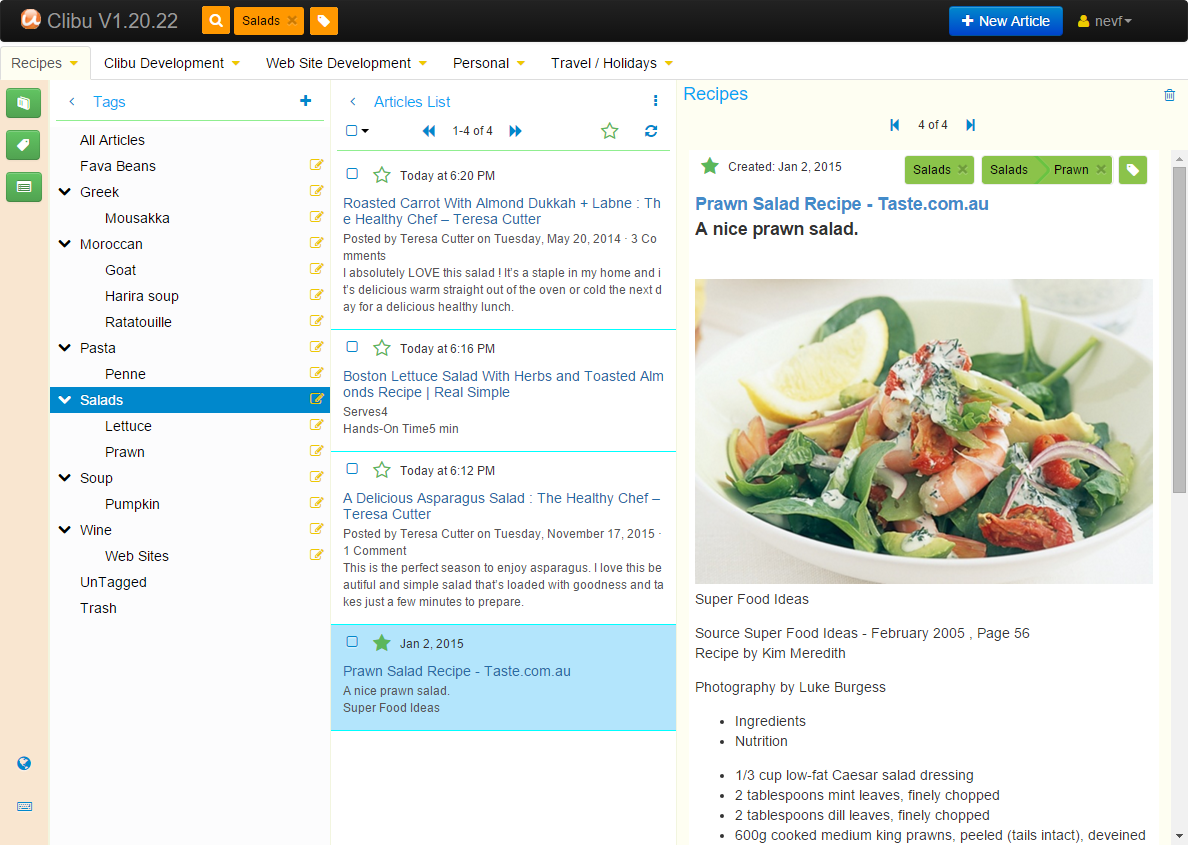
Content in Clibu is easy find and easy to see. Three collapsible panels provide quick access to your list of Knowledge Bases (or Notebooks, not shown here), the Hierarchical Tags Tree and a list of Articles that match the current query. The righmost panel displays the current Article in full and provides full rich text editing capabilities.
Across the top there is a Search button, Tags Filter, New Article button and a User Menu. Tabs are below that, one for each Knowledge Base you have open.
Finally the bar down the left has buttons to show and hide each panel, start the "Quick Tour" and displays Keyboard shortcuts.
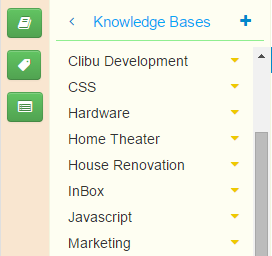
Create separate Knowledge Bases for each area of interest. The topmost icon on the iconbar shows & hides the Knowledge Bases panal. And + creates a new one.
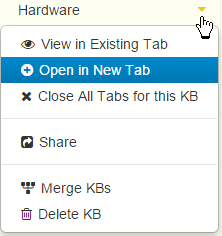
The Knowledge Bases Menu lets you open Knowledge Bases, enables Sharing etc.
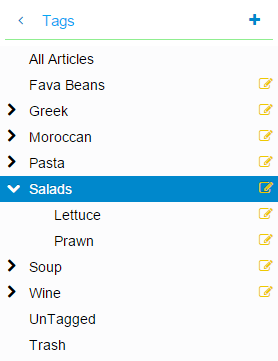
Hierarchical Tags assist you in categorizing content and finding it again. Tags can be nested to any depth.
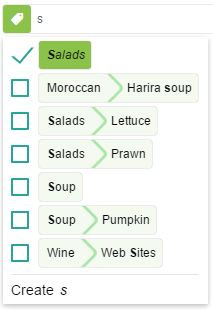
Quickly Tag articles using auto-suggest. Tags that are already present have a tick. Select and add multiple tags at once.
If you are looking for a better way to collect, use, manage and share information then you should sign up now and enjoy all Clibu has to offer.
Go to MyClibu.com click on the Signup button at top right, enter your E-mail address and we will send you a Login password, so you can use Clibu straight away.
Oh in case you were wondering, Clibu is completely free.
Clibu is the successor to our Windows Desktop application Surfulater, re-imaged for today's Web.
Why are we developing Clibu? As is often the case with software, it is to scratch our own itch. We spend a significant amount of time searching for information, to help us learn about new and better ways of doing things, to find solutions to problems etc. Once found, we need to keep this information close at hand, so we can quickly refer to it at any time and from anywhere. We also want to be able to embellish it with our own notes, links to related information and tag it so it is well organized. And finally we want to share this knowledge with our colleages and friends. We've been quietly working on Clibu for the past 3 years and are excited to have it released for you to use.
To read more about the development of Clibu and where it is heading do read our Blog. You will also find a lot of information on the development of Surfulater there.
Our Company Soft As It Gets Pty Ltd has been developing and publishing software for over 25 years and has an enviable track record of producing quality software that people love to use.
If you need any assistance at all, or want to suggest new features or enhancements, please do get in touch, we really do want to hear from you. In fact your feedback is critical to Clibu's success.
You can create a Help Ticket, access our Community Forums and search the Clibu Knowledge Base at our Support Center.
And you can E-mail us at info@clibu.com.